Grace Piso WiFi: 10.0.0.1 Login, Pause Time and Setup Guide 2026
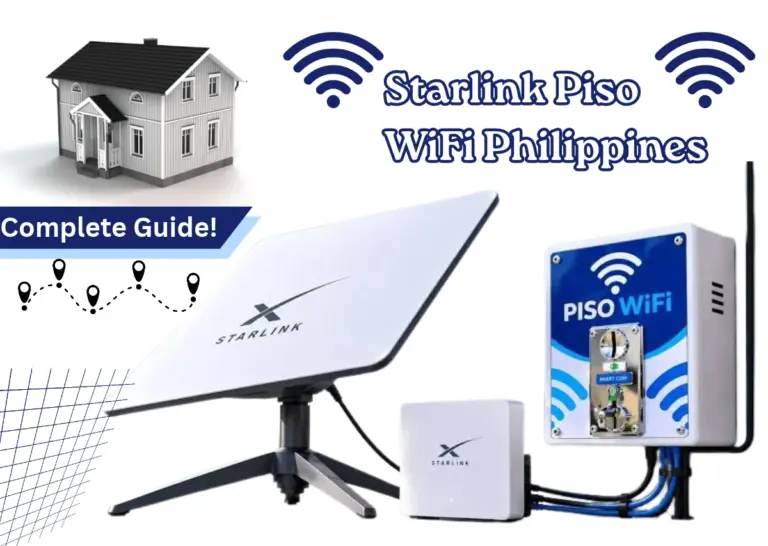
Grace Piso WiFi is a coin operated vendo machine that provides timed internet sessions to the users in the Philippines. Grace Piso WiFi offers a fast internet connection that allows you to access it without needing to cover a full month’s internet fee. You can connect your phone or computer, schedule time, and manage your session from the local site.
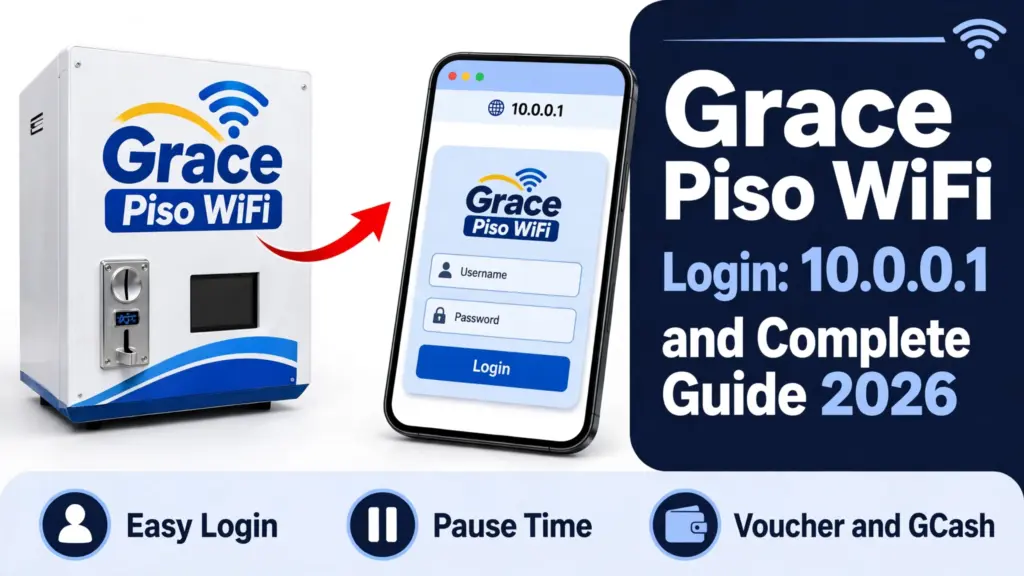
Here is a complete latest Guide for the Piso Wifi Internet users to know the complete procedure of Grace Piso Wifi Pause time, login and working module.
What Is Grace Piso WiFi?
Grace Piso Wifi internet vending platform allows users to connect quickly by inserting coins or typing pre-generated paper code slips. Many small shop owners and micro entrepreneurs like Sar sari stores choose Grace Piso WiFi because the system is simple to set up and manage.
Where you commonly find it
Following are some of the places where users can easily find the Grace piso wifi system:
How to Use Grace 10.0.0.0.1 Piso Wifi?
It offers an online connection for a charge based on time. The owner sets the rates, time restrictions, and payment methods.
How to Connect and Log In to Grace Piso WiFi at 10.0.0.1
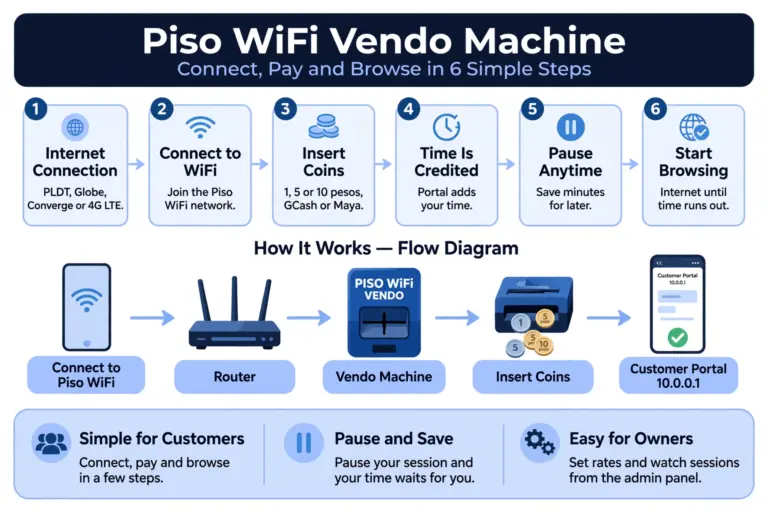
Piso wifi 10101 connection is quiet easy and simple as it immediately connect the user device to the vending machine with no turbulence if follow the correct step by step procedure given below:
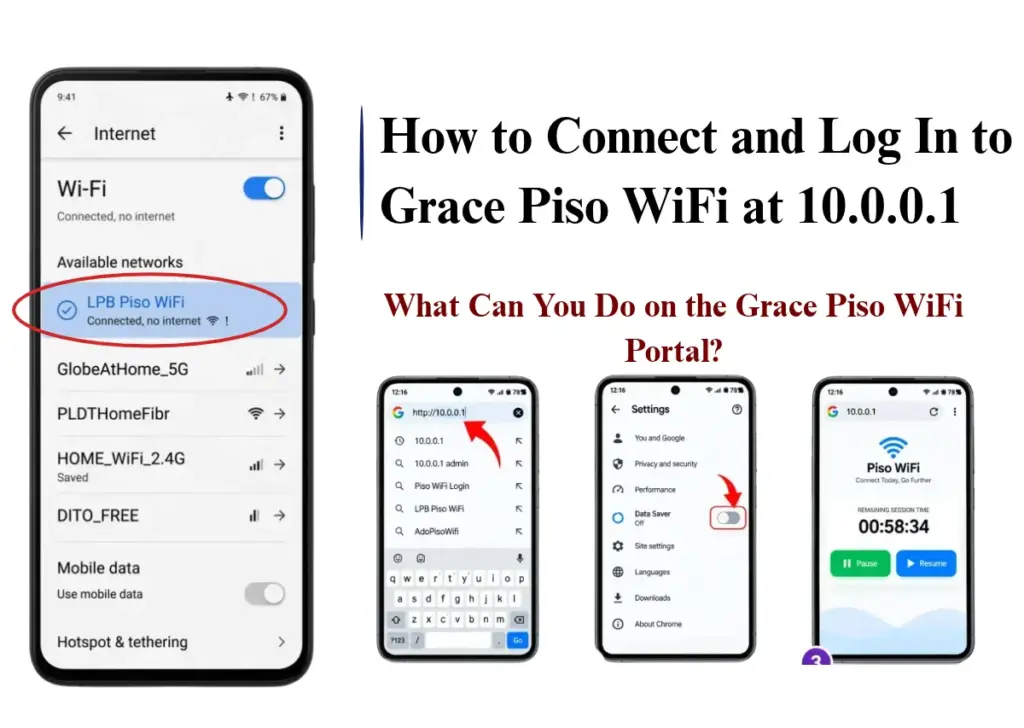
1. Access your phone’s WiFi settings and search for the vendor’s network name. It is typically displayed on the device.
2. Join that network. The initial step does not require a password.
3. Launch your web browser. The login portal should automatically appear.
4. If it doesn’t appear, enter 10.0.0.1 in the address field.
5. Place coins in the slot or select the voucher choice.
6. Press connect or begin. Your countdown starts now.
Turn off mobile data initially if the portal fails to load. At times, your phone opts for mobile data and conceals the login page. A single bar of vending signal suffices for the portal, but greater signal strength is necessary for real browsing.
What Is 10.0.0.1?
In the Philippines, 10.0.0.1 is a private local IP address commonly used as the default gateway or customer portal for Piso WiFi machines (such as LPB Piso WiFi or Ado Piso WiFi) and certain local routers.
In many cases customers may cause a Piso wifi typo error in which the main piso portal page can not be load such that they type 10.0.0.0.1 IP Address instead of 10.0.0.1 which restrict users or admin to land on a correct website.
What Can You Do on the Grace Piso WiFi Portal?
Person can do the following activities on the grace Piso wifi portal:
How to Redeem a Grace Piso WiFi Voucher Code
Vouchers are preloaded codes that the owner distributes or sells. Every code holds a specific quantity of time or information. They are useful when you lack coins or when the coin slot is packed.
Owners appreciate vouchers as they allow for advance sales. A sari-sari store can offer a PHP 20 voucher just like it sells prepaid load. Coins are unnecessary at the machine.
1. Link to the piso vendo WiFi and access the portal page.
2. Search for the voucher or redeem option.
3. Enter the code precisely as shown. On the majority of systems, codes are sensitive to case.
4. Tap redeem. Your time is updated immediately.
5. Verify the timer displayed on the screen prior to beginning your browsing.
Preserve the voucher until your time expires. Should the connection be lost, you might require the code once more.
Grace Piso WiFi Vendo Machine: Coin Rates and Reload Options
The Grace Piso WiFi Vendo Machine offers flexible coin rates and convenient reload options, making it easier for customers to access affordable internet while helping business owners manage their earnings.
Whether users want to purchase WiFi access using coins or reload their internet credits, understanding the available pricing options and payment methods helps ensure a smooth and hassle-free browsing experience.
Reload via GCash
Here are the easy steps to reload Piso wifi internet session via Gcash:
1. Select the GCash or e-wallet choice on the portal page.
2. Choose the promotion or duration you desire.
3. A QR code or digit shows up on the display.
4. Make payments using your GCash app.
5. Await the verification. Your time is recorded automatically.
GCash reload comes in handy when you’re out of coins or if the coin slot is stuck. Not every machine has it activated. If the option is not visible, that unit accepts only coins.
Grace Piso WiFi Pause Time: How to Pause and Resume
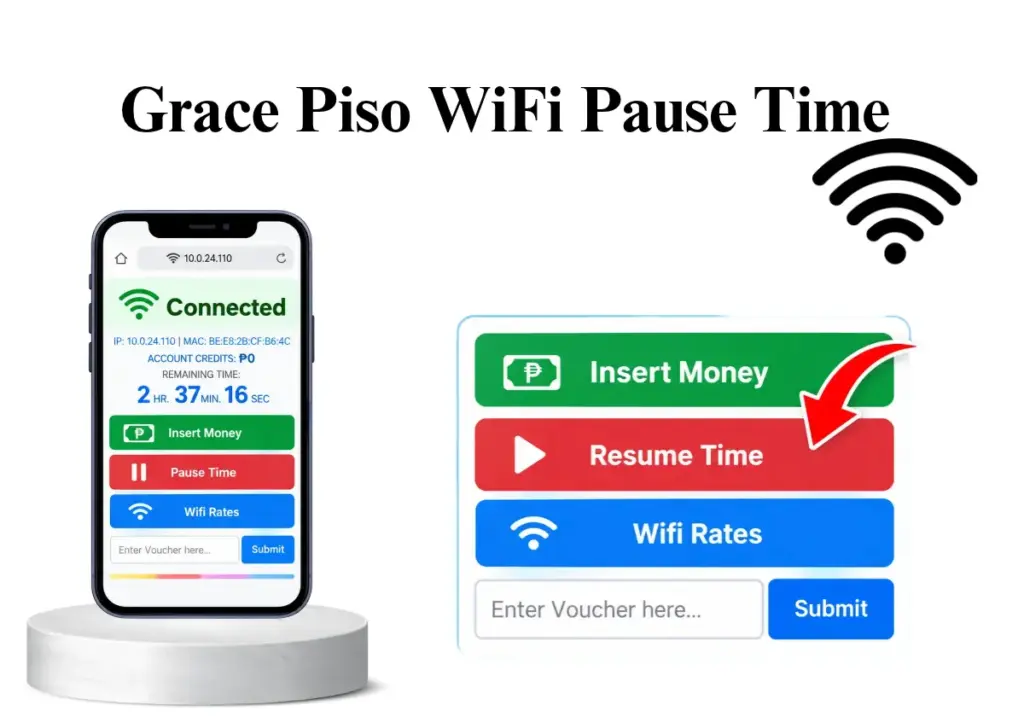
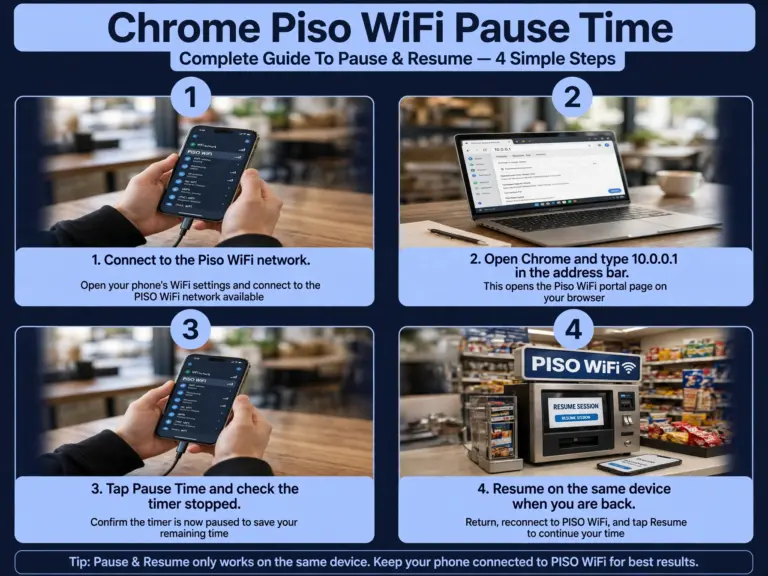
Piso WiFi Pause Time lets you pause your paid timer when you’re not utilizing the internet. This may be helpful when you have to step out for a brief time. Feel free to come back later and finish your unused minutes.
How to Pause Your Time
You can pause your Grace Piso 10.000.1 timer via these steps:
1. Link to the Network: Link your laptop or phone to the Piso WiFi network.
2. Connect to the Piso Wifi Portal: To access the lpb Piso WiFi portal at lpb.wifi/index.php, type 10.0.0.1 into your browser.
3. Start Your Session: Use the various payment choices to pay for internet access by following the on-screen instructions.
4. Pause Your Internet Time: To temporarily halt your session timer, touch the Pause button if the hotspot supports it.
5. Resume When Ready: To continue utilising your remaining internet time, go back to the portal and select Resume.
How to Resume Your Paused Internet Time
You may keep utilizing the remaining time in your paused session. Here’s a way to summarize it:
1. Reconnecting Piso WiFi: Link to the same WiFi network. Utilizing the same device can assist in recovering your session.
2. Access the Customer Portal: Launch your browser and type in 10.0.0.1. Hold on for the customer portal to open.
3. Click on the Resume Option: Locate and choose Resume in the portal. Your halted session ought to resume.
4. Verify Your Remaining Time: Assess the leftover minutes after you resume. Your session will proceed according to the machine configurations.
Grace Piso WiFi Pause Time Not Working
In many cases user faces the 10.0.0.1 Piso Wifi login issues and they get panicked after watching the failure in login, therefore here are some of the important steps that can be taken if your Piso WiFi Pause Time Login Is Not Working:
1. Make sure that you connect to the Piso WiFi network, avoiding mobile data or any other WiFi connection.
2. Enter http://10.0.0.1 directly into the browser’s URL field.
3. Turn off mobile data, then reload the portal.
4. If your page fails to load, try clearing your browser’s cache or use incognito/private mode for a quicker solution.
5. Next, detach the Piso WiFi network from your device, reconnect, and visit 10.0.0.1 again.
6. If the login page shows up but your code doesn’t work, enter it again carefully and check if your session has expired.
Grace Piso WiFi Signal Range and Speed
Your experience relies on two factors: your distance from the machine and the number of users online. Both fluctuate each hour.
| Setup / Situation | Typical Range or Speed |
|---|---|
| Built-in WiFi Radio | Around 30-45 meters in open areas |
| Outdoor Antenna | Around 100-200 meters in open areas |
| Few Connected Users | Approximately 5-20 Mbps |
| Multiple Connected Users | Approximately 1-5 Mbps per user, depending on bandwidth allocation |
| Peak Usage Hours | Speeds may decrease due to increased network traffic |
| Recommended Speed Limit | Around 2-5 Mbps per user for basic browsing and streaming |
What Makes WiFi Slow?
- Excessive number of users utilizing the machine simultaneously.
- You are distant from the antenna or situated behind solid walls.
- The internet plan of the owner is slow or overloaded.
- Rain and storms can diminish wireless signals.
- The WiFi on your phone is configured to an overloaded channel.
- Apps running in the background on your phone are receiving updates.
Why Does Grace Piso WiFi Time Run Out Fast?
Time extension refers to increasing the duration of an ongoing session by adding extra minutes. On many vending portals, you simply add extra coins while being connected. The updated time increases your remaining balance.
Following are some of the cause of Piso wifi time out:
Grace Piso WiFi on Multiple Devices
Grace lpb Piso WiFi typically allow users to link a single device for each paid session. The association typically relates to the device’s MAC address, indicating that utilizing the same WiFi session on a different phone, tablet, or laptop might not function.
To use the internet on various devices, you might have to buy an individual session for each device, based on the machine’s configurations.
Here are a few important things to know when using Grace Piso WiFi on multiple devices:
Grace Piso WiFi vs Regular Home WiFi
It works well when you only need the internet occasionally. Regular home WiFi is usually better for people who need the internet for many hours every day. The payment structure is also different.
| Feature | Grace Piso WiFi | Regular Home WiFi |
|---|---|---|
| Payment | Pay per session | Monthly payment |
| Access | Short-term | Regular use |
| Connection | Shared | Household use |
| User Setup | Connect and pay | Installation needed |
| Pause Time | May be available | Usually not needed |
| Best For | Occasional use | Daily internet |
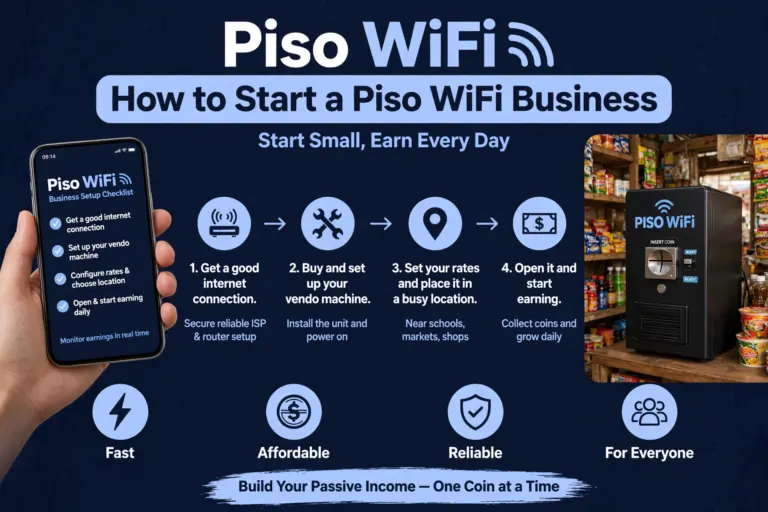
Grace Piso WiFi for Business: Sari-Sari Stores
Incorporating a Grace Piso WiFi machine in a sari-sari store can be an effective method to earn additional income and draw in more clientele. Store owners can provide budget-friendly internet access to local residents without needing to employ an extra staff member for managing daily transactions.
Average daily earnings from the machine range from PHP 150 to 500, based on foot traffic. By schools and terminals, it increases. The device recoups its cost within a few months at those figures.
| Daily sales | Monthly earnings | Payback on PHP 12,000 machine |
|---|---|---|
| PHP 150 | Around PHP 4,500 | About 3 months |
| PHP 300 | Around PHP 9,000 | About 6 weeks |
| PHP 500 | Around PHP 15,000 | About 1 month |
These are gross figures before internet and electricity costs. Even after costs, the margin stays healthy because the machine needs no staff.
Troubleshooting Grace Piso WiFi Problems
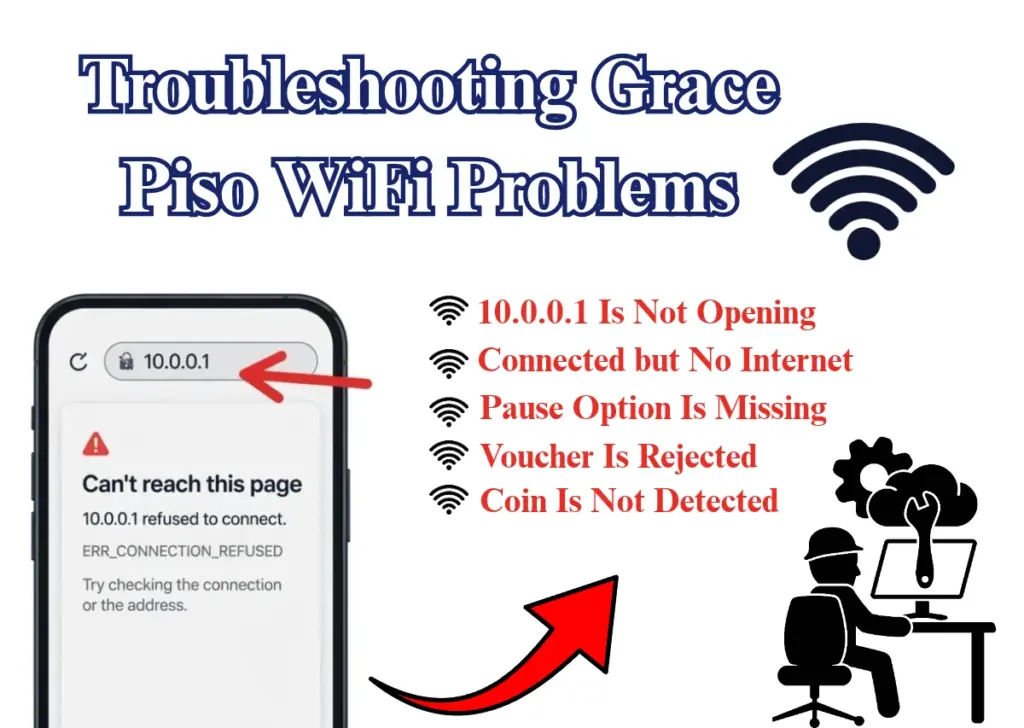
You may encounter certain problems when utilizing or overseeing Piso Grace WiFi. Some issues are connected to your device, while others pertain to the machine. These problems can be fixed quickly through basic troubleshooting.
| Common Problem | Possible Cause and Solution |
|---|---|
| 10.0.0.1 Is Not Opening | Make sure your device is connected to the correct Piso WiFi network. Enter http://10.0.0.1 in your browser and temporarily disable mobile data or VPN if needed. |
| Connected but No Internet | Check whether your WiFi session is active and has remaining time. If the problem continues, the machine’s internet connection may be down. |
| Pause Option Is Missing | The pause feature may be disabled or unsupported by the machine’s settings. Contact the machine owner to confirm whether session pausing is available. |
| Coin Is Not Detected | Check whether the coin was inserted correctly and is accepted by the machine. If your payment is not credited, contact the owner before inserting another coin. |
| Voucher Is Rejected | Recheck the voucher code for typing errors and confirm that it has not expired, already been used, or reached its usage limit. |
Conclusion
Grace Piso WiFi provides an affordable and convenient way to access the internet through coin payments and voucher codes. Whether you want to connect to the 10.0.0.1 login portal, redeem a voucher, manage Pause Time, or troubleshoot connection issues, understanding how the system works makes your experience easier.
For business owners, it can also be a practical way to generate additional income through automated WiFi services.